
Nail the exact tone in seconds, not hours.
AI-Powered Generator & Built-in Library: Just type the song, artist, and your guitar model. Our Smart Prompt builder works with AI to generate a ready-to-play rig instantly, or simply browse our library for inspiration.
Understand the real gear behind the magic.
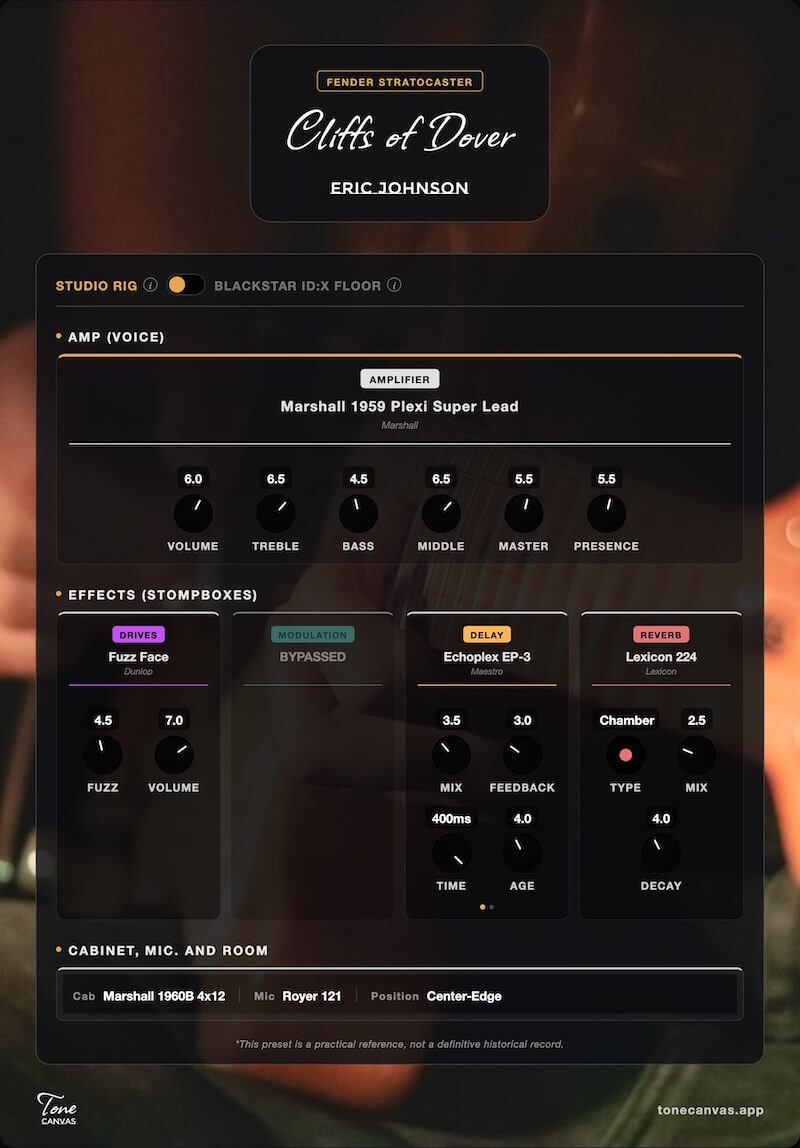
Dual-Mode Digital Rig: Visually map out the entire signal chain. Toggle between "Studio Rig" to see the authentic real-world gear used by the artist—a perfect blueprint for any multi-effects or plugins. Or switch to our hardware-specific mode, currently tailored for the Blackstar ID:X Floor.
Dial in legendary sounds with the gear you already own.
You don't need a massive digital rig to sound like your heroes. Tell ToneCanvas what amp and pedals you own, and the AI will reverse-engineer a custom My Gear Match using ONLY your available gear. It’s your personal tone tech in a browser.
Share your rig with the world effortlessly.
Frictionless One-Click Sharing: Create a unique URL for any custom rig, or export it as a beautifully formatted image ready for your social media. Anyone who clicks your link will instantly load your exact pedalboard settings—ready to play.
Instant access right where you left off.
Private & Local-First: No accounts, no logins. Everything you create, from custom presets to personalized background images, is securely saved locally right on your device for instant access.
How it works
Discover, Match, or Generate
Search our curated library, describe a dream tone, or match an iconic sound to the exact amp and pedals sitting in your room.
Tweak the Canvas
Interact with the digital rig to adjust knobs and fine-tune the parameters to your exact liking.
Save & Share
Keep your personalized rig locally in My Presets or grab the share link to send it to a friend.
Frequently Asked Questions
What if I don't own the gear used on the original recording?
Use the Tone-to-Gear tab in Settings. Simply list your amp and whatever pedals you have on your floor. The AI will analyze the target sound and generate a custom My Gear Match preset, giving you the exact knob adjustments on your own gear to get as close as physically possible.
Do I need a Blackstar ID:X Floor to use ToneCanvas?
Not at all! Toggle to "Studio Rig" mode to see the exact analog pedals and amp settings used by the artists, which you can easily dial into any real-world gear, software plugins, or multi-effects processors like Quad Cortex, Fractal, Line 6 Helix, Boss, Valeton, Mooer, or Nux.
Is it completely free?
Yes, discovering, tweaking, and saving tones locally in your browser is 100% free. No account or login required.
How do I share my preset with a friend?
Just click the share icon on any preset. We'll generate a unique link that loads your exact rig on their device instantly.
Why can't I see my saved presets on my phone or other devices?
ToneCanvas is designed to be lightning-fast and private. We don't use user accounts or cloud servers, which means your presets are saved locally on the device and browser you're currently using. If you want to move a preset to another device (like from your computer to your phone), simply use the Share button, copy the link, and send it to yourself!